Pure Zig 0.16 · Zero deps · No libc
cat, but 4–26x faster and JSON-native.
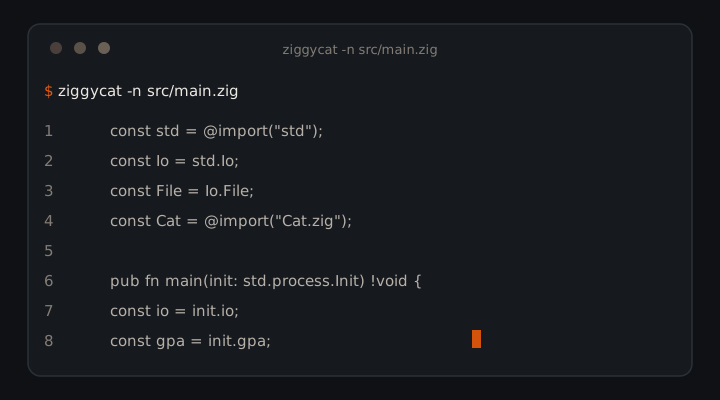
ziggycat is a drop-in cat replacement in pure Zig. Byte-identical output on -n -b -s -E -T -TE -nbsET, plus a --json mode built for AI coding agents. One 502KB binary for Windows, macOS, Linux.
01 — Why
Why ziggycat exists
The most-piped command in every agent toolchain, optimized for agents that read files in loops.
✓ Byte-identical, provably
Line modes verified byte-for-byte against coreutils cat 9.x. Scripts cannot tell the difference.
✓ Agent-first JSON
One flag: path, size, numbered lines, escape-safe text, error records that don't kill the batch.
✓ Fast without tricks
No mmap, no threads, no unsafe. Raw syscalls, 1MB buffers, zero-copy line splitting. Flat memory at any input size.
✓ Exit codes pipelines respect
0 success, 1 file error (continues), 141 broken pipe, silent.
02 — Flags
Eight flags. Combined shorts work.
ziggycat -nbsET file.txt is valid. -n/-b are last-wins. A lone - reads stdin anywhere in the list.
| Short | Long | Effect |
|---|---|---|
-n | --number | Number every output line, including blanks |
-b | --number-nonblank | Number non-empty lines only |
-s | --squeeze-blank | Collapse runs of empty lines into one |
-E | --show-ends | Append $ to each line ending |
-T | --show-tabs | Render tabs as ^I |
| — | --json | Structured output for agents |
-h | --help | Usage |
-V | --version | Version |
03 — JSON
Structured reads, not text dumps.
ziggycat --json example.txt
{"files":[{"path":"example.txt","size":2048,"lines":[{"n":1,"text":"first line"}]}]}- stdin:
pathis"-",sizeisnull. - Controls escape as
\uXXXX; quotes and backslashes escape. - Unreadable files emit
{"path":"...","error":"..."}, batch continues. - Empty files:
"lines":[].
04 — Benchmarks
Faster than GNU cat 9.x.
94MB file (2M lines), ReleaseFast, sink /dev/null, median of 7 runs.
| Operation | ziggycat | cat | Speedup |
|---|---|---|---|
| Plain copy | 7ms | 28ms | 4x |
-n number all | 7ms | 137ms | 20x |
-b number non-blank | 5ms | 130ms | 26x |
-s squeeze | 6ms | 112ms | 19x |
-E show ends | 7ms | 109ms | 16x |
-T show tabs | 6ms | 105ms | 18x |
-TE tabs + ends | 6ms | 110ms | 18x |
-nbsET all flags | 6ms | 130ms | 22x |
--json | 6ms | — | no counterpart |
05 — Install
Clone, build, alias.
Requires Zig 0.16.0. Binary lands at zig-out/bin/ziggycat (~502KB).
Clone
git clone https://github.com/AkashPriyadarshii/ziggycat.git
cd ziggycat
Build
Bench builds use ReleaseFast.
zig build -Doptimize=ReleaseSmall
Alias
alias cat=ziggycat
ziggycat means gzip's decompressor. ziggycat keeps its own name. Install at ~/.local/bin/ziggycat.exe.06 — Trilogy
Read, find, orient.
File reading, search, and orientation as token-budgeted CLI tools.